Browse Flickr and quickly download full-size photos in bulk with simple search and selection
Browse Flickr and quickly download full-size photos in bulk with simple search and selection
Vote (6 votes)
Program license Free
Developer Janten
Version 1.0
Works under Windows
Vote
(6 votes)
Developer
Janten
Works under
Windows
Program license
Free
Version
1.0
Pros
- Fast, accurate search by tag, keyword, or username
- Batch download capability saves time
- Displays complete metadata including EXIF data
- No Flickr account required, but stronger features for account holders
- Preview feature reduces download errors
Cons
- Interface feels dated compared to newer applications
- Limited built-in options for sorting or filtering search results
- Batch download restrictions may apply based on image permissions
Efficient Flickr photo browsing and downloading with advanced batch options.
Overview of Downloadr
Downloadr is a Windows application designed to enhance the experience of browsing and saving images from Flickr. With an intuitive interface and useful features, it caters to photographers, designers, and casual users seeking quick ways to download high-quality photos directly to their computer.
User Interface and Navigation
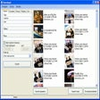
The application presents a clean layout, helping users access various Flickr search and download options easily. Navigation begins with a straightforward search bar supporting queries by tags, keywords, or usernames. Search results are displayed promptly in a side panel, allowing users to select multiple images using familiar keyboard shortcuts.
Search and Selection Features
Search functionality is robust, delivering results quickly even for broad queries. Downloadr allows in-depth filtering by tags, text phrases, or usernames, helping users target specific collections or styles. Selection is flexible—single images or batches can be highlighted for download, and double-clicking any photo brings up a detailed preview window. This reduces mistakes and makes bulk selection safer.
Download Management and Performance
High-resolution image downloads are handled efficiently, with the program pulling the largest available version permitted by Flickr’s permissions. Batch downloading eliminates the tedious task of saving images individually. Even with dozens of photos queued, the download process remains steady, minimizing interruptions.
Integration with Flickr Accounts
No Flickr account is necessary to use Downloadr, but logging in unlocks significant benefits. Account holders can create backups of their own albums with minimal effort. The ability to mass-download personal content is valuable for both casual users and professionals maintaining off-site archives.
Information Display and EXIF Data
Each image result includes full metadata sourced from Flickr, such as titles, upload dates, and detailed EXIF technical data. This aids users seeking information about camera models, aperture values, or other photo attributes—useful for learning or sorting imports later.
Limitations and Improvements
Some minor downsides include the lack of advanced sorting or filtering options within search results. Additionally, restrictions may apply for downloading very large batches depending on photo licenses set by Flickr users. The interface, while functional, may feel basic compared to more modern design standards.
Pros
- Fast, accurate search by tag, keyword, or username
- Batch download capability saves time
- Displays complete metadata including EXIF data
- No Flickr account required, but stronger features for account holders
- Preview feature reduces download errors
Cons
- Interface feels dated compared to newer applications
- Limited built-in options for sorting or filtering search results
- Batch download restrictions may apply based on image permissions